
CostLive
Start here
Licences, consumption and people time in one view.
/cost/start-here/What does it cost and how do we keep it honest?
Computer helpers cost money. This part is about knowing how much they cost, and giving spare money to the people who need it most.
AI costs come in three kinds: licences, pay-as-you-go use and people's time. I help teams set a budget, check it every week, and move unused allowance to the people who've run out, so the spending follows the work.
With the work, the decisions, the tools and the risks in view, set realistic budgets, forecasts and reviews. Review daily and weekly, and move unused allowance to the people who've hit their limits, so the money follows the work.
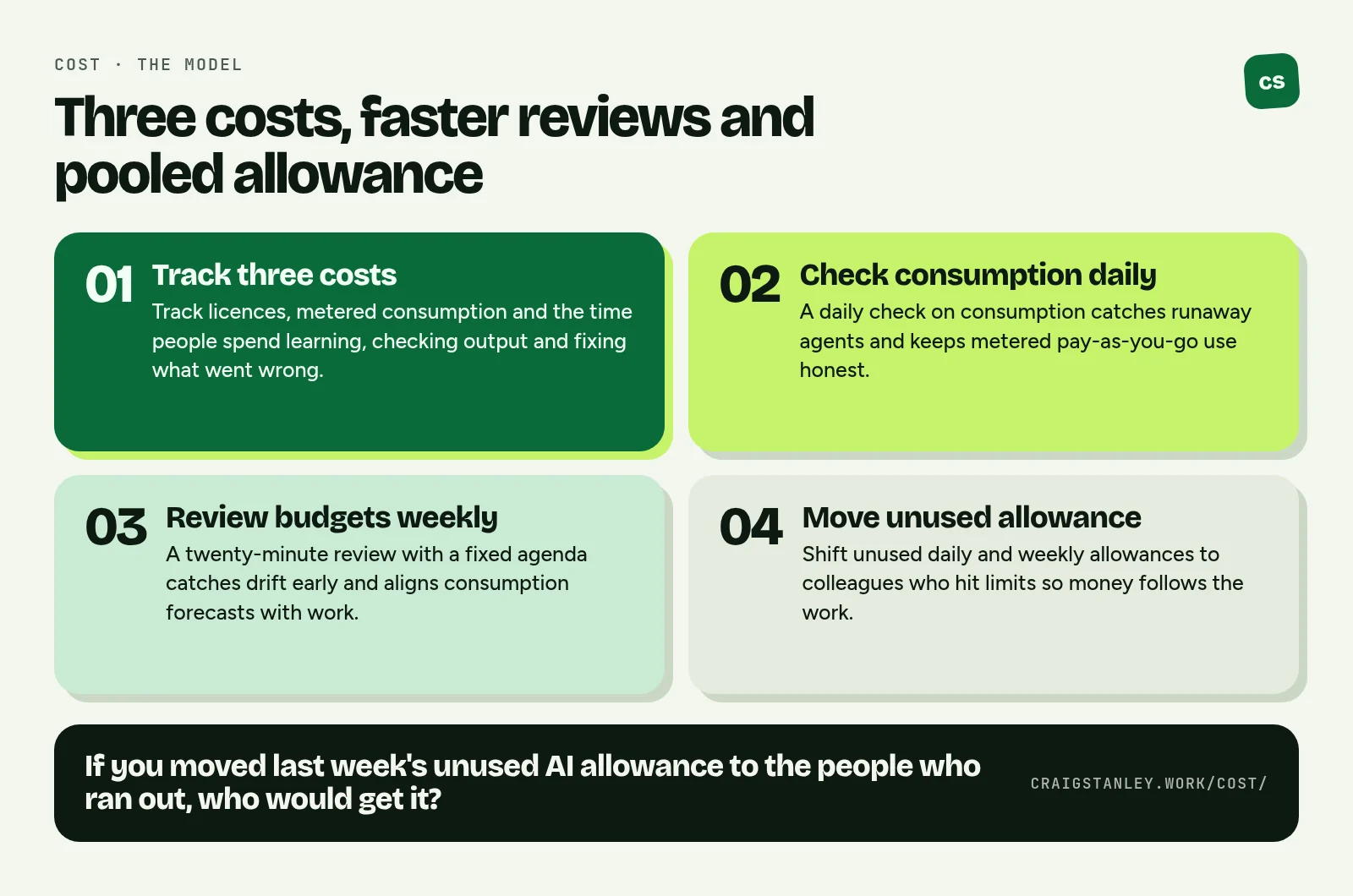
From Craig Stanley's site: the Cost section. AI at work costs money in three ways, and most budgets track only one. Licences are a fixed fee per person per month, paid whether the person uses the tool or not. Consumption is metered use, paid per message, per action or per unit of compute. Then there is people's time, spent learning, checking output and fixing what went wrong. A budget that tracks licences alone looks tidy and still overspends. Craig helps teams set realistic budgets and forecasts. Monthly reviews are too slow for metered spend. A daily check on consumption catches runaway agents. A short weekly review with a fixed agenda catches drift early. In the collections, he suggests a twenty-minute session. Underspend is the other half. In most teams, some people hit their limits while others barely use their allowance. Moving unused allowance to people who've run out puts money where the work is. Moving the underspend on Friday lets spending follow the work. If you moved last week's unused AI allowance to the people who ran out, who would get it?
Summary written and read aloud with Google Gemini from the text on this page. The voice is synthetic. Longer episodes are in the podcast.

AI at work costs money in three ways, and most budgets only track one of them:
A budget that tracks licences alone will look tidy and still overspend.
Monthly reviews are too slow for metered spend. A short weekly review with a fixed agenda catches drift early. A daily check on consumption catches runaway agents.
Underspend is the other half. In most teams some people hit their limits while others barely use their allowance. Moving unused allowance to the people who've run out, weekly or even daily, puts the money where the work is.
Read The three costs of AI at work, then Set the budget weekly, move the underspend on Friday. For the licence question, use the Copilot break-even calculator.
Licences, consumption and people time in one view.
/cost/start-here/Sustainable budgets per team and per agent.
/cost/budgets/Forecasting consumption from decision volumes.
/cost/forecasts/A 20-minute review with a fixed agenda.
/cost/weekly-review/Move daily and weekly unused allowance to people at their limit.
/cost/underspend-pooling/When a seat licence beats metered use, and when it doesn't.
/cost/licence-or-payg/Licences, consumption and people's time. Most AI budgets track the first, some track the second, and almost none track the third.
ReadCost · Start hereWhy I divide AI spend by the decisions it supports, how to work the number out from licences, credits and people's time, and where it gets messy.
ReadCost · BudgetsWhy I set AI budgets per team and per agent, how Microsoft's spending policies and agent limits support that, and a worked example.
ReadCost · BudgetsHow I estimate an agent's monthly cost from its design before launch, using Microsoft's Copilot Credit rates and a range instead of one figure.
ReadCost · ForecastsForecast metered AI spend from how many decisions a process handles, using volumes you already hold and Microsoft's credit rates.
ReadCost · ForecastsWhy I give AI spend forecasts as low, likely and high cases, how to build each one, and how to pick the figure a budget should hold.
ReadCost · Weekly reviewA fixed weekly agenda for reviewing AI spend and use in 20 minutes, with who attends, what each item covers and what gets decided.
ReadCost · Weekly reviewWhat the Microsoft Copilot usage report measures, what "active" means in it, and how I'd use it to decide who keeps a licence.
ReadCost · Underspend poolingA simple routine for AI consumption budgets. Set allowances weekly and move unused allowance to people who hit their limits.
ReadCost · Underspend poolingA simple, published rule for sharing out unused AI allowance each week, with a floor, a cap and a worked example people can check.
ReadCost · Licence or pay-as-you-goWhen a Microsoft 365 Copilot licence costs less than paying per use for agents, worked through with Microsoft's published UK price and credit rates.
ReadCost · Licence or pay-as-you-goHow I'd split one team between Copilot licences and metered use, using usage data, a simple rule and a quarterly review.
ReadA question to take awayIf you moved last week's unused AI allowance to the people who ran out, who would get it?